Showing posts with label Silverlight. Show all posts

07 August 2010

Silverlight 4 with C# and Python (it's three!)

I recently felt like making a new Silverlight 4 app, but not just any app. I wanted it to have the following features:

  1. use an existing Python library
  2. be written in C#.
There is a way better way of using Python code - it is to write the app in Iron Python from the start. Picking C# to achieve that sounds like a bad decision.

However, I wanted to do something new and challenging, so I went for C#. Doing it on my own was hard, way harder than just following an "embedding Python in C#" tutorial. Finally, I found that working example and got something starting from there.

What I got is a three on a golden background:


Okay, maybe that's not the right angle to start with. What I did was used the numbthy Python library and used it's gcd function to compute the greatest common divisor of 15 and 3, and it's three!

Getting there was hard. Finding the right libraries to embed Python, importing them the right way were tough tasks for an inexperienced user - some error messages would be very cryptic. Then, the app would hang on the splash screen if something was wrong in the Python code, the debugger wouldn't show where the problem was, and the "problems" in the Python code were:
  1. the print statement
  2. a class inheriting from object.
Not obvious, and definitely not the kind of problems PyDev would warn you about. So I am afraid that importing bigger chunks of code could be hard - that is to be explored further.

03 July 2009

Silverlight vs. CSS

I'm back to Silverlight blogging! I've been super busy these last months with school, getting married and swithing to Python at work and I haven't had time to look deeper into Silverlight 3 nor get my hands dirty digging in some code. But, summer is here, and here I come! Let's start with some philo: Silverlight vs. CSS.

But why not Silverlight vs. Flash?

First, because it's done greatly at Shine Draw (congratulations on becoming a Silverlight MVP!) . By the way, Smashing Magazine, which is the best webdesign resource ever (and anyone working on a user interface should read that kind of stuff ) has recently had a really in-depth technical article about that subject too (which kinda concludes that Flash is better as it supports more stuff, but I'd just say older, anyway, I'm just saying I'm not writing about Flash).

Second: Flash and Silverlight are two different tools. You usually know one or the other. You usually have to choose one or the other as your area of expertise and once your choice is made, you won't go back, no matter how I praise one and critiscize the other. Silverlight and CSS, however, are tools lying side by side in the same toolbox. Okay, lots of generalizing here, some people are pure C# programmers and don't need to worry about webdesign. I am the girl who uses SL more for websites than for applications and that's what happens: I need to embed SL elements in a webpage done in HTML (thus my interest for HTML Overlay) so a question arises:

Which elements do I do in Silverlight, and which in DHTML?

Here's an excellent example: the Fish Eye menu.

n.design studio did it in CSS/JS:


PageBrooks did it in Silverlight:


Shine Draw did it his style: both Silverlight and Flash, for comparaison:

Now say you need a Fish Eye menu on your site - which do you use?

First thing: ask yourself about your target. Some of my best friends use Linux and well, not everyone has Silverlight. But some people block all of their Flash and some turn JavaScript off - you can't please everyone. I think I'd go with JS here, but the topic is broad.

Second: is it ready? Is it free? For commercial purposes too? Because if it isn't and you have to do it yourself, I'd say one hour for Silverlight, a few days for debugging JavaScript in all possible browsers - absolutely incomparable times.

Still don't know? Don't worry, neither do I, the topic is way too broad. A lot depends on your goal: is it learning a technology? Pleasing a customer? Building an impressive portfolio? If the latter, one important word of advice: don't overdo it. I've seen a site with two moving Silverlight controls that were getting really annoying after a bit of time. Modern at first sight, but cheap at the second: "Mm, yeah, a rotating banner, how hard is that in Silverlight?" It's easy and it's great that it is, but let's use our tools wisely.

04 April 2009

Random stuff

I haven't been blogging for a while (only going to school, moving, marrying - you know, the usual) and something deep in my heart tell me I should be getting back on the blogging train. So here I am, with lots of random stuff.

First, private life. I'm getting married in two weeks. Dress? Not ready. Dozens of pounds to me lost on that occasion? Not happening. (I blame the lifestyle. Losing weight is hard work, doing cardio is hard to start, as you need to get in shape a bit, and while I'm getting two degrees at a time, I'm really working hard and putting a lot of pressure on myself. Can't have it all.) But, I'm marrying a great guy, for the one and only right reason to marry, so I couldn't be happier.

I'm going to an Arabic-speaking country for my honeymoon. I'm so excited! I will finally learn to count and order food! And buy Al Jamila and many more magazines!

Silverlight 3 Beta is out and I know nothing about it, expect you need to have two development environments to work in both 2 and Beta 3 at once, which is really uncool as I work in 2 but would like to explore 3 because blogging about 2 is so yesterday. You can perfectly well develop for .net 2 having 3.5 installed and everything should work that way.

I bought a box of 5 albums by Kasia Kowalska.

And I wonder who buys that. I mean, either you're a fan, so you've got the albums already, or you're not, so you buy a "best of" or nothing, you don't spend that kind of money at once. Who does that?

I am super-motivated to procrastinate write my master paper just like the other grad students all over the world and the ones portrayed on Piled Higher and Deeper. It's scary how accurate these comics are, while the behaviors shown seem so irrational:

Please tell me I'm not like that! And don't ask how the paper is going, that would be rude.

Ok, enough for today, test coming up on Monday about lexical analysis.

18 March 2009

Silverlight: the simpliest master pages ever (plus links to subpages)

I gave a presentation about Silverlight today at school. It went great and benefited me as well, as it took me away from all the wedding preparations and made me look at some old code and notes (well, some new too, I'm staying in the Cream's 'Light).

So, two things tonight. First, master pages. You probably have read Jesse Liberty's and Gerard Leblanc's articles - they're great and full of useful information, but I'll try simplifying things as much as possible.

Now, let's say you have your subpages as controls and you want to have a header/footer/sidebar.

  1. Start with a Grid layout, (Grid is the best one in general, more on that maybe someday), fill the right cells with that common header/footer/whatever.
  2. In the biggest cell, the one for subpages, place a ScrollViewer.
  3. Now, tell me, what is a ScrollViewer? A ContentControl. It means it has a Content property. It means it hosts a single control. What control could it be, hum?
  4. theScrollViewer.Content = theSubpage; - that's the whole navigation code!
Ok, now the subpages. I used to think until today that this was impossible, and that it was one of the main reasons using Silverlight for building typical websites wasn't a great idea. But the guys from SilverlightShow proved me wrong with their recent article about Interaction between Silverlight and the Browser:


I won't post any code here, just refer you to that article, my excuses being the lack of time and that the idea is not mine. As for translationg the idea into a working solution, I'm sure you'll do it easily.

Now we just need a way to handle the "back" button and the whole navigation history (thanks to one of today's listeners for bringing that up). However, my Silverlight sites don't go over 10 content pages, so tracking navigation history doesn't really have a point. And hey, it's Silverlight, it's super easy to do!

16 February 2009

I knew I forgot to blog about something

I knew I forgot to blog about something: I passed the70-536 exam!

I got 841 points and 700 was the passing score, so I was pretty well prepared. And they had good coffee at the center.

What's next? The asp.net one, as I have a bit of experience in that. And then maybe WPF, as it's the closest thing to Silverlight - or is there a Silverlight certificate coming up? I don't know about any so far.

20 January 2009

Making Silverlight do the work for me: fake software boxes

What I love about Silverlight is that it does a lot of work for me. An example: fake software boxes. Let's say you have some software to advertise: isn't this box appealing?

So, you can go to the graphics department and nicely ask for such a box. Or follow the tutorial. But what if you have dozens of products to advertise? The graphic people don't want to do that and neither do you. I believe there are some smart graphic editors that do macros or something like that, but there's yet one more way, illustrated by the diagram below:
Here's what I did yesterday working on a website to advertise my company's software:

  1. I took two plain pictures, one for the front and one for the side (this one can be a textblock).
  2. I placed them on the canvas and surrounded them with borders.
  3. I added a rectangle for the top.
  4. I applied transformations to obtain the pseudo-3d effect you can see above.
Now, to make more boxes of the kind, I just need to re-use the xaml and change the images! Piece of cake!

Okay, this is the place where I should put the code, but I did this at work, which means it's copyrighted to my company and I'd have to ask my boss for his permission, which I couldn't really do these days because he's too busy and now I'm leaving work for a week to focus on school. Sorry about that.

Furthermore, this can be done better (look again at the picture on the top):
  1. one can apply a matrix transform to give perspective (that thing where parallel lines all meet somewhere... mine don't)
  2. one can add a shadow (which I definitely should)
  3. one can make rounded corners like Microsoft's software boxes have
  4. one can add a reflection, since it's web 2.0 and every single software box is standing on a shiny surface, and Silverlight is great for that too!
and that's just a few ideas.

Well, if anyone feels inspired and wants to make a re-usable software box control, I'm sure a lot of people would re-use it, so let me know if you do!

13 January 2009

Silverlight and localization

Lucky me! I got a new project: the new company's website. Such sites need to have two features:

  1. an impressive presentation layer
  2. a few languages versions
For the first one, Silverlight is the dream technology. For the second one, however, it's a nightmare. I wanted to be able to change the language easily to say "see, Boss, the French version looks good too". I spent one entire day trying to make it work and it kinda works... kinda.

There are a few catches. First, there is no easy way to do that as in asp.net (there should be!). Microsoft published an article on localizing Silverlight applications and it's no fun to read. But, we're big boys, let's add our resources files by ourselves, rename them and stuff.

Second catch is coming: the constructor in the resourse.designer.cs file is protected instead of public. Two workarounds here:
  1. change it yourself everytime you modify the resource
  2. get a tool for that: Dmytro Kryvko’s Extended Strongly Typed Resource Generator 2.3
So far, everything is to be worked around. But... I wanted too much. I wanted localization and user controls. I could declare two namespaces, one for the resources and one for the controls, I could decalre the resource as a static resource, but binding... no. I got an AG_E_PARSER_BAD_TYPE error on a perfectly correct xaml file. After the entire day of investigating, I gave up on binding my controls to the resources in xaml - I bind them at runtime and rebind each time the language is changed. Ugly, but works.

I don't know... you might have more luck than me. If you wanna localize, start with reading "Silverlight and International Thoughts". There's a fully detailed instruction on creating a localized application in 43 steps.

As much as I like Silverlight, localization is a nightmare and that disappoints me a lot, as it's something that's been done in asp.net already - I feel like reinventing the mouse wheel here!

15 December 2008

Silverlight: my app is up!

Yeah, finally! The website I was working on this summer is up (and featured on silverlight.net)! In Polish only, but my boss said we'll get it translated. For now, you can check out the cool animated tree menu and the HTML ovelay iframe that adjusts its height to you browser window (provided that your browser window is tall and you reaload the app) at bcp.softax.pl.

Oh, and did I mention I got engaged? Mmm, yeah, I did.

09 November 2008

Silverlight: dynamically finding a storyboard in the VisualStateManager

Okay, I haven't been writing about Silverlight for quite a while, but here I am again!

Today, I'll discuss dynamically finding a storyboard in the VisualStateManager.

Basically, when you want to refer to some object, you set the x:name and there ya go. Here, things aren't half that simple.

In August/September, I used the following code, inspired by something posted on the official forums:

var query = from trans in
(from stateGroup in
VisualStateManager.GetVisualStateGroups(LayoutRoot)
where stateGroup.Name == "VisibleStates"
select stateGroup).First().Transitions
where (trans.To == "Visible" && trans.From == "Hidden")
select trans;

Storyboard sb = (Storyboard)query.First().Storyboard;
Ugly like an ugly workaround, but it worked in Silverlight 2 beta 2. But then Silverlight 2 came out and that didn't compile anymore.

I needed to recompile my code fast, so without thinking too much, I wrote a double foreach. Ugly too, but it worked.

And then, one beautiful morning, the SilverlightNews Twitter pointed me to an article just about that. "Great", I said to myself, "I'll see a the right way of doing that." I clicked and saw... a double foreach! I felt smart for a while, but I had a hard time believing that this way was the best. So I asked Boyfriend.

Boyfriend has a bad influence on me because he gives me way better answers than Google - and shouldn't people google instead of bothering others? This time was no different - Boyfriend wrote a single-line solution and posted it in a comment over there.

I decided to follow his advice and rewrite my code the same way. After sweat, tears and another Boyfriend bother, I got this:
Storyboard sb = VisualStateManager.
GetVisualStateGroups(n.NodeLayoutRoot).
Cast<VisualStateGroup>().
Where(sg => sg.Name == "VisibleStates").SingleOrDefault().\
Transitions.Cast<VisualTransition>().
Single(t => t.To == "Visible" && t.From == "Hidden").
Storyboard;
No doubt it's single-line, no doubt it's shorter. Whether it's nicer, easier to write or more effective than a double foreach, we can discuss. I guess it's easy if you know Linq, which I don't. Wait, I do, I just wrote my first piece of it!

23 September 2008

New direction in programming

I had lots of fun learning Silverlight at work, but fun doesn't last forever. I finished the website and joined a big project in asp.net. It's not as easy as Silverlight was, but that's a great thing. Silverlight alone is not much more than a Flash replacement (a good one imho, but still), it's the .net framework that gives it its power.

So I'm not learning Java anymore. I finished the school assignements I had in Java and have no intention of going further in that direction (but let's wait for the semester to begin and see what school brings). I'm learning asp.net.

Does that mean my Silverlight blogging is over? I hope not, but now I will only have my free time for that. And if you know me or have read the colorful paragraph on the right, you know how little free time I have and how much stuff I try to fit in it. Still, I love Silverlight and will do my best.

06 September 2008

Most useful Silvelight techniques

I have the habit of taking extensive notes when I learn stuff so I know where to find stuff I've read and found interesting. This of course applies to Silverlight, so below are the most interesting Silverlight techniques I noted in the last month (except for the ones mentionned earlier). All or almost all of these came at some point from Silverlight Cream, so if you follow it carefully, you should know all of these already.

So here's how to...

Embed Silverlight in HTML
http://www.mydotnetplayground.nl/menu/

Navigate between XAML pages
http://www.flawlesscode.com/post/2008/03/Silverlight-2-Navigating-Between-Xaml-Pages.aspx
I use HTML overlay instead. Well, "instead" isn't the right word as those different techniques suit different uses. Both are worth knowing anyway.

Make the file smaller
http://blogs.msdn.com/delay/archive/2008/07/16/smaller-is-better-a-simple-step-to-shrink-the-download-size-of-silverlight-2-applications.aspx

Go full Screen

http://geekswithblogs.net/SilverBlog/archive/2008/06/10/full-screen-mode-in-silverlight-2.0-beta-2-applications.aspx
From my experience, it doesn't work in Firefox.

Show a Splash Screen
http://agkdesign.wordpress.com/2008/08/05/splash-screenloader-for-silverlight-appz/
(However, the author admits it doesn't always work.)

Resize the Silverlight Application
- two different techniques
http://msdn.microsoft.com/en-us/library/cc189043(vs.95).aspxhttp://www.silverlightshow.net/items/Tip-Resizing-the-Silverlight-object-from-the-Silverlight-application.aspx
I tested the second one and it works great.

Drag'n'Drop
http://simplesilverlight.wordpress.com/2008/08/13/drag-and-drop-silverlight-example/
So simple and my boss was impressed. Great article.

Create reusable animations
http://www.codeproject.com/KB/silverlight/AgDynAnimations.aspx
This article helped me when enormously when I was creating animations I had to modify at runtime (thought it's not exactly about it).

Access the HTML DOM from managed code
http://silverlight.net/quickstarts/Dom/DomAccess.aspx
A must-know for HTML Overlay.

27 August 2008

Silverlight and text-align:justify.

Silverlight has no such thing as text-align: justify! There is an explanation, but I'm not buying it, but I believe it will be soon fixed, as well as the right-to-left direction.

Okay, the future is bright, Silverlight is still beta, but I want text justified now. As I was saying, I am working on something more like a website than an application, and I chose HTML overlay to display more text. Still, there's one place where there are a few sentences about my company, that I'd prefer to keep in a stylish Silverlight control. Stylish like this:


Doesn't the bit of text just beg to be justified? It does to me and it's fortunately short so I can justify it by hand. So, here are a few tries, read on to learn about my adventures in text justifying or scroll down to the last one to see what finally worked.

First, I manually split the texblock into a few smaller ones, one for each line. Then I just assigned the the right width. Result below:

Well, the texblocks do have the required width, as you see on the framed one, but the text inside doesn't.

Second try: scaling them horizontally with a transformation. Take Blender, type the right thing (1.1) in the right box, like this:


And you get this:

So it's scaled. But: now it goes further on both sides. I just wanted to extend it to the right. We could now push it to the right too, but that would be a mess to find the right values for both transformations. There's a much easier way: move the origin point. It's by default at the center of the obeject, thus the RenderTransformOrigin="0.5,0.5". Setting it to "0,0" will move it to the left top corner. As we're not scaling vertically, we don't care about the top coordinate, so let's just put "0,0". Now all there is to do is find the right scale, I just binary searched between 1 and 1.1. The first line, for instance, got 1.03:


Here's the final result: six delightfully justified lines.
Phew, we're done. So that was a bit of work, but it was okay for such a short text. However, if the width of the frame was to change, I'd have to start all over! Split the textblock in lines again and scale each line again. If someone feels like it, you can try and write a piece of code that would do that programmatically. Yes, MS developers, I'm talking to you.

23 August 2008

Silverlight: time for a little preview

Okay, so I've been writing about this Silverlight thing for a bit and it's time to show what I can do. The website I was working on will be released in a few weeks, but the content is irrelevant for most of you, so I scrapped all the content and some of the presentation and left only the interesting thing: the navigation tree in Silverlight.

The tree is cool: you can add as many levels as you want and from the second level, as many nodes as you want. "Want" as in "place on the canvas" and "won't take up all of your memory" (you know, this "exponential growth" thing can be tough in programming...). "Can" as in "I'm not releasing the sources so you can just wish". And... oh, yeah, I gotta go to bed, I'm not a good writer at this time of the night (2 a.m.).

So... *drum roll*... here it is!

14 August 2008

Adventures in HTML overlaying

Wow, the demand for articles about Silverlight is overwhelming! I've just been featured on Silverlight Cream #342 and I don't have that much to share yet. But, don't worry, my Silverlight masterpiece will be released soon and I'm learning everyday, so more goodies are to come.

I was saying I would try HTML overlay - I did and it works great. The most useful resource was this thread on silverlight.net, which is about displaying pdf files, but HTML overlay works in exactly the same way. (And why not gifs or Flash while we're at it?)

So here's what I did:
The grey rounded border is in Silverlight (as the stuff outside of it), and everything inside is HTML+CSS displayed in an iframe. The orange thingy is a link to a Wikipedia page, so let's click it.

Wow! That looks funny! It shouldn't be a surprise, but the link opened in the iframe. I know exactly how to prevent this, but... it looks kinda cool! Okay, let's close this window to ensure the iframe will disappear with it.
Ooops! Recognize those rectangles from the previous picture? They're tables and they disappear in FF, but IE has to be IE and cause issues. Fortunately, that was easy to work around (reset the iframe source while hiding it), but why, oh why, when I try to make peace with the M-corporation products, do they have to remind me how annoying they can be?

31 July 2008

How to dispaly HTML/rich text in Silverlight

Silverlight is intended for making applications way more that for making websites. If what you're making is more like a website (and what I'm working on definitely is), you're gonna want to put content, and if you're putting content, you're most probably putting text, and if you're putting a lot of text, you're gonna want to format it. And you've been formatting text in HTML since your early childhood, so your'e wondering how to insert this dear HTML of yours into a Silverlight application website.

You have three possibilities:

  1. Formatting text using the "Run" element.
  2. Using the HtmlTextBlock control written by Delay, which supports the tags: a, b, br, em, i, p, strong and u (but no CSS).
  3. HTML Overlay:
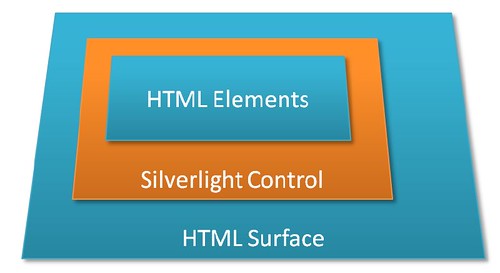
HTML overlay is explained here (and that's where the picture's from).

I'm trying HTML overlay today.

29 July 2008

What you can and can't in Silverlight

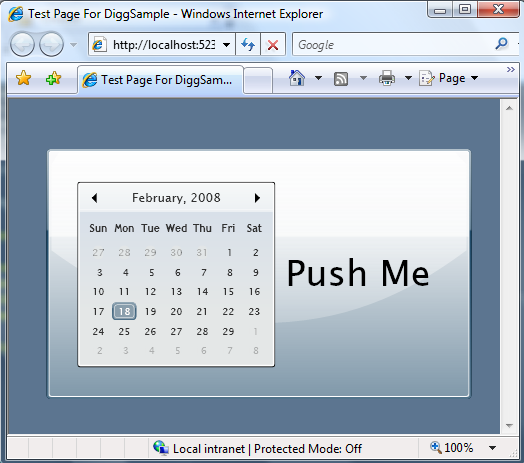
You can: insert a calendar in a button.

Who would want to do that anyway?

You can't: insert a link in text. Who would want to do that anyway?

You can: insert a link in a button. Now try clicking one so fast the other won't notice.

You can't: click on a control like a dumbass. At least when the VisualStateManager is involved, it raises a critical exception.

You can: control you treadmill from Silverlight. I'd exchange that for the links in the text, but it's still a nice feature to have.

You can't: inherit like a normal person. It's a bug if it's working fine.

23 July 2008

More on learning Silverlight

Today, I'm linking you to some articles on learning Silverlight.

20 July 2008

How to learn Silverlight in 10 steps

I'm feeling like the luckiest geek on Earth. I had mixed feeling about starting work because I wanted to have some free time to learn Silverlight. And guess what - that's exactly what I've been doing at work for the last two weeks!

Here's what I started with: a strong background in programming, but mainly in ANSI C, a minimum knowledge of C#, a bit of experience in creating a GUI in Java... and that's all that's relevant, I guess. And here's what I've done so far, put in an as systematic way as I can, so if you wanna learn Silverlight too, follow me.

  1. Find out what Silverlight is and where it fits. If you're just gonna use it as a Flash replacement, there's no point.
  2. Get the tools from http://silverlight.net/GetStarted/. (You might as well learn from that website and be really happy, but for me, it's not systematical enough and I hate video tutorials, so I've been to many other places).
  3. Make a "Hello World" application to understand what is what in a Silverlight application. This tutorial is a great place to start and you can follow all the 8 parts right now for a quick walkthrough of the basic features. That's what I did, and then I googled for specific stuff I needed.
  4. Learn about the layout controls: grid, stack and canvas. Now you can add stuff to your application without wondering why they all are in the left top corner and overlap each other. And to make a more custom user interface, learn about basic geometric shapes.
  5. Learn about the basic controls: buttons, radio buttons, text boxes, and whatever you might need and is already out there ready for you.
  6. Learn about event handling.
  7. To use lists, grids and stuff, learn about data binding and data collections.
  8. Learn to make your own controls and to style them, in XAML directly or with Blender. See also this glass button tutorial.
  9. Learn to make animations: in XAML, in C#, with Blender. Why three ways? Blender produces XAML code, probably faster than you'd type it, but it's useful to understand how it works to be able to modify it. In C#, you may have problems keeping the logic separated from the presentation, but sometimes you need to create or modify animations at runtime or reuse them. Before you do too much with animations, learn about the Visual State Manager. This tutorial explains it in an excellent way, read it carefully. It has issues, unfortunately, see here.
  10. Learn about accessing the HTML DOM from managed code.
  11. Learn about networking and communication in Silverlight.
  12. Learn using isolated storage and application settings.
I've been done the steps up to number seven. You're not exactly done after number ten, there might be stuff I'm not yet aware of and there are more advanced topics like inheriting from User Control vs. Custom Control or security. You may need to improve your C#. Plus, no tutorial will ever replace experience, but if you wanna gain it, I hope I've helped you figure out how to start.

17 July 2008

I love this company!

So I'm playing with this Silverlight thing and I want User Control inheritance. I'm not asking for much, right? Inheritance in object-oriented programming? Turns out I am.

I'm making this tree. Nodes have different stuff in them, like text or a slideshow, but they're all nodes of the same big tree. Smells like inheritance, right? So I go and google "silverlight control inheritance". And end up on the official Silverlight forum.

Over there, cool quotes. An MVP says:


I don't know of any good workarounds for it at this point, I've tried a bunch of different things to get around this.

And another guy goes:

I'm surprised to see this works: (...) This is likely to be a bug. I'll redirect this to our product team.

And after another one:

This is a bug if it's working fine

I can say with all my heart: I love this company!